
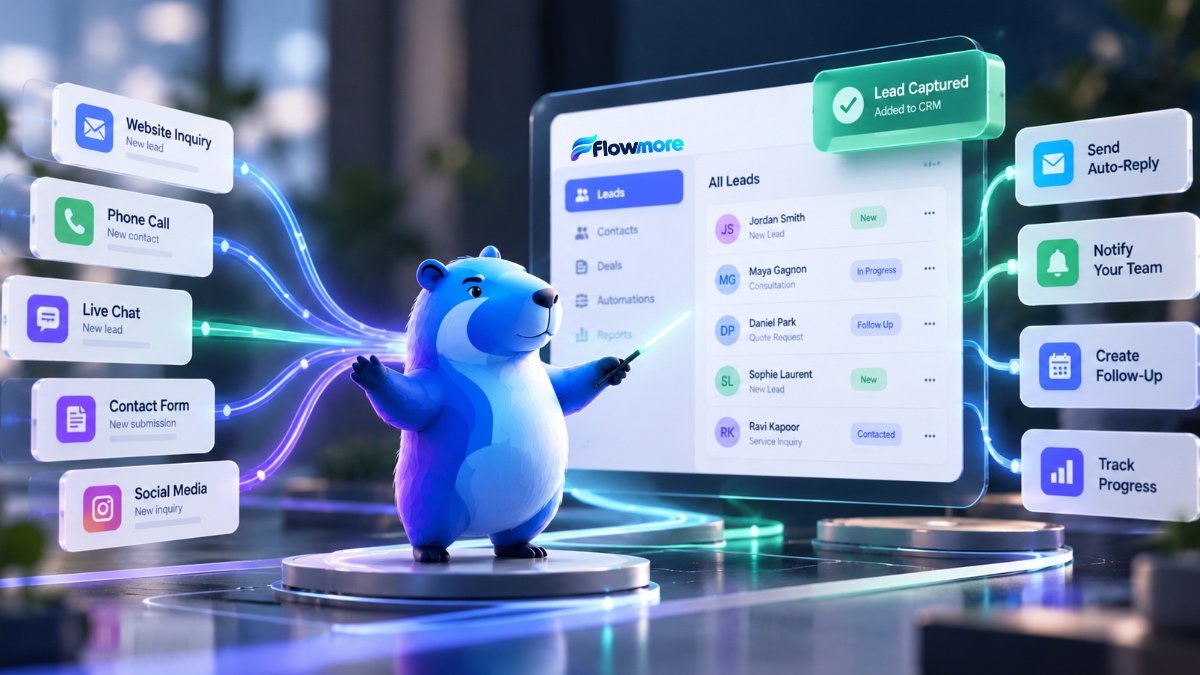
Every lead matters. Stop letting them slip through.
Your customers shouldn’t have to wait while your team copies information between systems. Flowmore helps businesses connect their CRM, website forms, customer inquiries and follow-up processes so the right information reaches the right people at the right time.
A CRM is only useful when your information actually gets into it.
Many businesses invest in customer relationship management software but still rely on spreadsheets, manual reminders and disconnected website forms. The result? Information gets duplicated, follow-ups are delayed and opportunities become harder to track.
Flowmore provides CRM integration and customer automation services that help connect the tools your business already uses. Instead of creating more administrative work, we focus on building workflows that make everyday customer management easier.
Imagine this happening automatically:
- A potential customer completes your website form.
- Their information enters your CRM.
- The inquiry is assigned to the appropriate person.
- A relevant acknowledgement is sent.
- Your team receives a follow-up reminder.
- The customer journey is easier to track.
CRM automation that solves everyday business problems.
From straightforward form integrations to more advanced customer workflows, we help businesses reduce repetitive administration and improve communication.
CRM Integration & Setup
Connect website forms, lead sources and business applications to your CRM. Organize contact records, fields, pipelines and everyday workflows.
Automated Lead Follow-Up
Send timely acknowledgements, create staff reminders and trigger appropriate follow-up steps when new customer inquiries arrive.
Lead Capture & Qualification
Collect relevant details through forms and intake workflows, then organize or route inquiries based on your business rules.
Customer Journey Automation
Build workflows for onboarding, appointment reminders, service updates, renewals and other recurring customer communications.
Pipeline & Reporting Workflows
Improve visibility into lead status, assigned tasks and customer activity through organized CRM records and practical reporting.
Software & Data Connections
Explore integrations between supported CRM platforms, WordPress, Webflow, email tools, forms and other business applications.
See what happens after someone contacts your business.
Select each step to explore how a connected CRM workflow can move a customer inquiry forward.
A new inquiry arrives.
A potential customer submits a website form. Their name, contact details and service request are collected in a structured format.
Status: Ready for processing
This is an illustrative demonstration. It does not process real customer information or connect to a live CRM.
What could customer automation look like for your business?
You don’t need a large sales department to benefit from an organized customer management system.
Stop losing leads between calls and emails.
A plumbing or HVAC business receives inquiries through its website while staff are out on jobs. Instead of manually transferring information, new leads enter a central CRM.
Make client onboarding less repetitive.
A consulting or accounting business needs to collect information from new clients and keep onboarding tasks organized.
Keep customer communication moving.
A clinic or service provider wants a more organized process for general inquiries, appointment-related communications and follow-up tasks.
Know which opportunities need attention.
A small sales team tracks inquiries in several spreadsheets and inboxes. A connected CRM gives everyone a clearer view of open opportunities.
Connect the systems you already use.
You may not need to replace your existing software. Often, the biggest opportunity is improving how information moves between the tools you have.
- HubSpot CRM and supported CRM platforms
- WordPress and Webflow website forms
- Gravity Forms and other intake tools
- Email notifications and follow-up workflows
- Scheduling and appointment systems
- Reporting and operational dashboards
Available integrations depend on platform features, API access, subscription plans and project requirements.
CRM
Start with the problem. Then connect the tools.
A useful CRM automation should make work easier, not introduce a complicated new process.
Review Your Workflow
Understand where inquiries originate, how they’re managed and where delays occur.
Plan the Integration
Map fields, triggers, permissions, communication rules and supported connections.
Build & Test
Configure the workflows and test data accuracy, routing and notifications.
Launch & Refine
Help your team understand the process and improve workflows as your needs evolve.
CRM automation doesn’t have to start with a massive project.
A focused integration connecting a website form to a CRM and basic follow-up process may start around $1,000 CAD. More complex workflows involving multiple systems, custom rules or data migration require additional scoping. Software subscriptions and ongoing usage are separate.
Customer automation works even better when everything connects.
CRM integration & automation FAQs
What is CRM integration?
CRM integration connects your customer relationship management platform with other software, such as website forms, email tools or scheduling systems. This helps reduce duplicate data entry and organize customer information.
How much does CRM integration cost in Toronto?
A straightforward CRM integration or automated lead workflow may start around $1,000 CAD. Costs depend on the platforms involved, number of connections, complexity of business rules and data migration needs. Subscription fees and ongoing maintenance may be additional.
Can you connect my WordPress website to HubSpot?
Yes, many WordPress forms and website workflows can be connected to HubSpot using supported integrations or APIs. The best method depends on your form plugin, HubSpot subscription and required automation.
Can a CRM automatically follow up with leads?
Yes. Depending on your software and configuration, workflows can send acknowledgements, assign tasks and schedule follow-up reminders. Automated marketing messages must follow applicable consent and anti-spam requirements, including Canada’s CASL.
Do I need to replace my existing CRM?
Not necessarily. We first assess whether your current platform can support the integrations and workflows you need. In many cases, improving configuration and connections is more practical than switching systems.
Is CRM automation suitable for small businesses?
Yes. Even a small business can benefit from automatically capturing leads, organizing inquiries and reminding staff to follow up. The goal is to start with a manageable workflow that solves a real problem.
Can CRM automation connect to AI assistants?
In some cases, yes. An AI assistant can collect relevant information and pass it to a supported CRM workflow, subject to integration availability, data protection requirements and appropriate human oversight.
Your next customer shouldn’t get lost in your inbox.
Tell us where customer inquiries come from, which tools your team uses and what keeps falling through the cracks. We’ll help you explore a practical way to connect the pieces.
Let’s Automate Your Customer Workflow →