
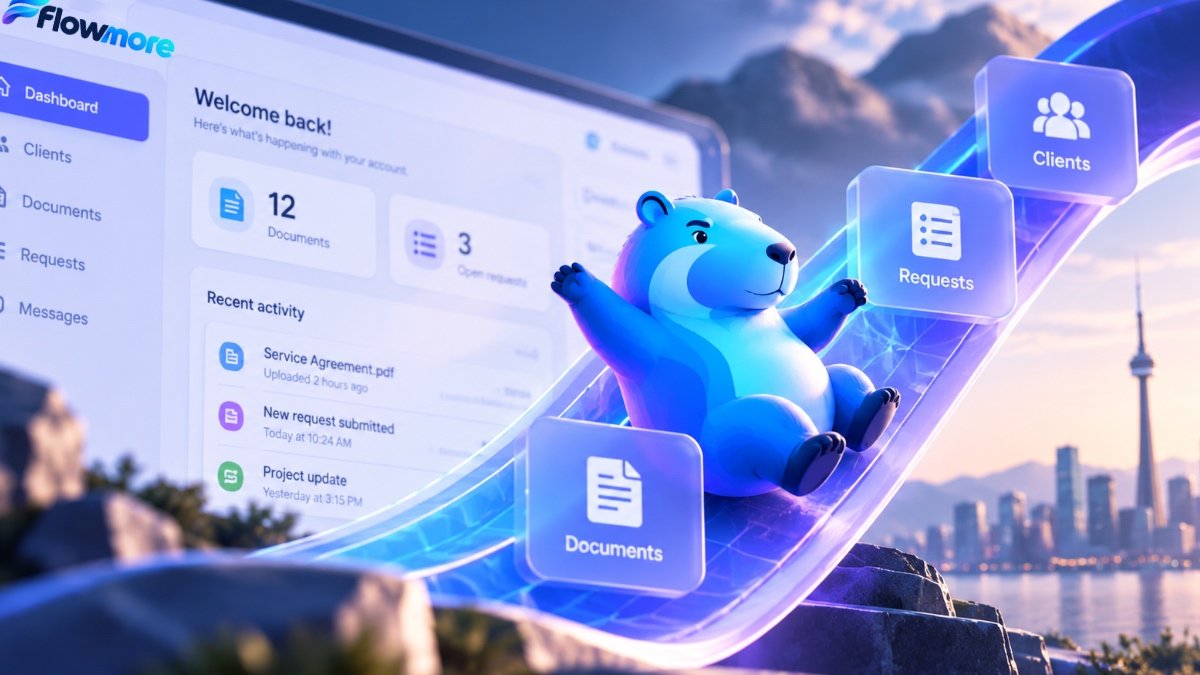
Give your clients one place for everything.
Stop chasing documents, digging through email threads and updating spreadsheets by hand. Flowmore builds custom client portals and database solutions that keep information organized, accessible and easier to manage.
Your business has information everywhere. Let’s bring it together.
Client portal development isn’t just about adding a login page to your website. It’s about giving customers, staff and authorized partners the right information at the right time, without the endless back-and-forth.
Whether you’re managing client onboarding, collecting documents, tracking service requests or organizing records across multiple systems, Flowmore can help plan and develop a solution that fits your operations. Our approach combines practical web development, structured databases and business process automation.
Everything your clients need. Nothing they don’t.
Start with the essentials, then add functionality as your business grows. Every project is scoped around your actual needs.
Secure Client Logins
Individual accounts, password-protected access and role-based permissions so users see only the information they’re authorized to access.
Document Management
Let clients upload, download and organize important files without relying on scattered email attachments.
Requests & Applications
Create structured request forms, intake processes, application tracking and status updates in one place.
Custom Database Solutions
Organize customer records, projects, submissions and operational information in a searchable, structured system.
Updates & Notifications
Keep people informed when documents arrive, requests change status or an action is needed.
Connected Business Tools
Where supported, connect your portal to a CRM, forms platform, email system or other software your team already uses.
From scattered information to a single organized workspace.
Without a client portal
- Documents arrive in different email threads
- Clients repeatedly ask for updates
- Staff manually track outstanding requests
- Files and records live in separate systems
- Important information is harder to locate
With a Flowmore-built portal
- Clients have a central place for their documents
- Authorized users can check request status
- Teams manage submissions through structured workflows
- Records are organized around clients or projects
- Relevant updates can be automated
Built for the way your business actually works.
A useful portal solves a specific problem. Here are four common ways businesses and organizations can use one.
Professional Services
Give clients a dedicated space to submit information, retrieve documents and follow the progress of their work.
Service Businesses
Let customers submit service requests, upload supporting photos and view updates without repeatedly calling your office.
Membership Organizations
Manage member records, documents, renewals and access to resources through a central member experience.
Applications & Program Management
Support structured application intake, document collection, reviewer access and status tracking.
From scattered records to a system your team can use.
We start with your actual workflow before choosing the technology. That helps avoid building unnecessary features.
Understand the Workflow
Identify who needs access, what information is stored and how users interact with the system.
Plan the Structure
Define accounts, database fields, permissions, document handling and integrations.
Build & Test
Develop the portal, test core workflows and verify user access and data handling.
Launch & Improve
Prepare users, launch the solution and refine the experience as requirements evolve.
The right information. Permissions and privacy planned from the start.
A client portal should make information easier to access—not easier to expose.
Any system that stores customer information needs thoughtful security and privacy planning. We assess the sensitivity of the information involved and choose an appropriate architecture and access model.
- User authentication and account permissions
- Role-based access to records and documents
- Secure transport and appropriate file handling
- Backup, maintenance and update considerations
- Privacy requirements and data retention planning
Security controls and regulatory requirements depend on the project. Highly sensitive or regulated information may require specialist review and additional safeguards.
Your portal can be part of a bigger solution.
Client portals often work best alongside forms, automation and other connected business systems.
Client portal development FAQs
What is a client portal?
A client portal is a private online area where customers or authorized users can access information, upload documents, submit requests and manage account-related activities. Features depend on the business.
How much does a custom client portal cost in Toronto?
A relatively simple client portal may start around $3,000 CAD. More advanced projects involving custom databases, multiple user roles, complex permissions, integrations or sensitive data can cost substantially more. Flowmore scopes each project based on the functionality required. Hosting, subscriptions and ongoing support may be additional.
Can you build a client portal using WordPress?
Yes. WordPress can support certain membership and client portal requirements with an appropriate combination of plugins and custom development. Other projects may benefit from a separate application or database platform. The choice depends on security, scale and functionality.
Can clients upload and download documents?
Yes. A portal can be designed to support document uploads, downloads and organized file access. We plan storage, permissions and file handling according to the type of information being collected.
Can the portal connect to our CRM or existing software?
Often, yes. Integration options depend on the software involved, its available APIs and your workflow requirements. We assess compatibility before confirming the scope.
Do small businesses really need a client portal?
Not every business does. But if your team spends significant time sending documents, collecting the same information, answering status questions or updating spreadsheets, a focused portal may help simplify those tasks.
Your clients deserve better than another email thread.
Tell us how you currently manage documents, requests and client information. We’ll help you explore whether a custom portal makes sense for your business.
Let’s Talk About Your Portal →