
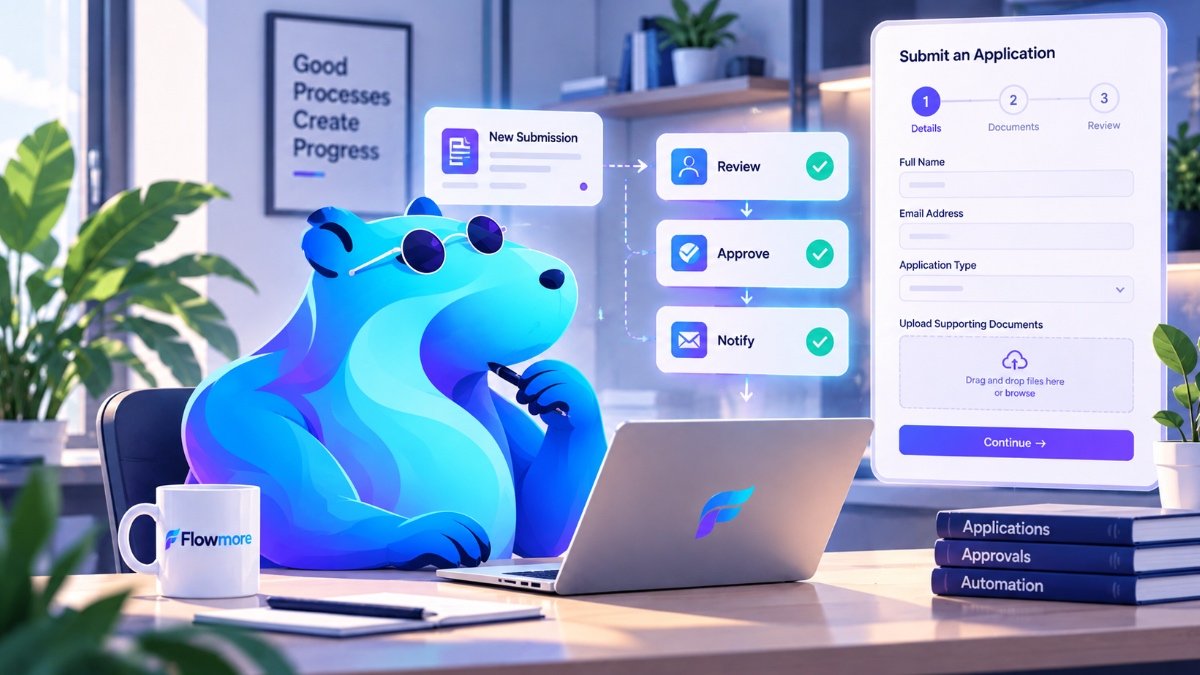
Less Paperwork.
Better Processes.
Applications, registrations, document uploads and approval requests shouldn’t turn into endless email chains and spreadsheets. Flowmore builds custom online forms and connected approval systems that help organizations collect information, manage reviews and keep work moving.
A form should do more than collect information.
Someone completes an application on your website. Then what? Does it arrive in a crowded inbox? Does someone manually download the attachments? Who checks whether everything is complete?
A well-designed form is only the beginning. The real value comes from what happens after someone clicks Submit.
We build custom online forms and approval systems that connect submissions to the people, information and steps involved in your process. That might include confirmations, reviewer notifications, secure document handling, status tracking and follow-up actions.
The goal is straightforward: make it easier for applicants or customers to provide information, and easier for your team to manage what comes next.
Forms and workflows that fit the way you operate.
From a simple request form to a multi-step application process, we design systems around the information you need and how it should be handled.
Multi-Step Application Forms
Break lengthy applications into manageable sections with clear instructions and conditional fields.
Document Upload & Collection
Collect supporting files with appropriate validation, storage and access arrangements.
Review & Approval Workflows
Route submissions to authorized reviewers and organize decisions, comments and next steps.
Save & Resume Applications
Let users return to longer forms without starting again, using suitable access and verification methods.
Notifications & Status Updates
Send confirmations, internal alerts and relevant updates as an application progresses.
Connected Records & Systems
Connect form submissions to supported databases, CRM platforms and other business tools.
From application to decision, without the email maze.
Imagine an organization accepting applications that need supporting documents and review by more than one person.
Applicant Submits
The applicant completes the online form and provides the required documents.
Submission Organized
Information is recorded and the application is prepared for review.
Reviewer Notified
An authorized reviewer receives a notification and accesses the materials through the approved system.
Decision Tracked
Review status and next steps are recorded, with appropriate updates sent when required.
Illustrative example. Specific features, access controls and notifications depend on the system and project requirements.
More than contact forms.
These systems can support a wide range of everyday business and organizational processes.
Scholarship & Grant Applications
Collect detailed applications, supporting documents and reviewer decisions through an organized process.
Employee & Internal Requests
Handle leave requests, purchasing approvals, internal registrations and other routine submissions.
Client Intake & Onboarding
Gather the details and documents needed to begin a service or establish a client record.
Memberships & Registrations
Organize applications, renewals, event registrations and eligibility information.
Built around the process, not just the form fields.
We look at the full journey: what users submit, who reviews it, what happens next and how information should be protected.
Understand the Process
We identify required fields, documents, review stages and user roles.
Build the User Experience
We organize the form into clear, manageable steps and plan the workflow.
Configure the System
We set up submissions, notifications, access controls and supported integrations.
Review Real Scenarios
We test incomplete forms, document handling, reviewer actions and common exceptions.
Sensitive information deserves careful handling.
Some forms collect more than a name and email address. Applications may include identification documents, financial information or other sensitive records.
We consider privacy and security requirements when planning how submissions are collected, stored, accessed and retained.
The right setup depends on the information involved, the software being used and the organization’s responsibilities.
✓ Applicant verification where appropriate
✓ Role-based reviewer access
✓ Protected document handling
✓ Secure save-and-resume planning
✓ Thoughtful notification design
✓ Data retention and access considerations
Questions about custom forms and approval systems.
What is a custom online form?
A custom online form is designed around the specific information and workflow your organization needs. It can include conditional fields, multiple steps, file uploads, notifications and integrations with other systems.
Can applicants save a form and return later?
Yes, depending on the platform and configuration. For sensitive applications, it’s important to consider how returning applicants are verified and how saved information is protected.
Can multiple people review the same application?
Yes. Approval workflows can be designed around multiple reviewer roles, stages and decisions, subject to the capabilities of the chosen system.
Can forms connect to our existing software?
Often, yes. We assess available integrations with databases, CRM platforms, email systems and other supported tools.
Do custom forms require AI?
No. Many excellent form and approval systems work using standard software rules, integrations and carefully designed workflows.
Do you work with organizations outside Toronto?
Yes. Flowmore is based in Toronto and works with businesses and organizations across the GTA, Ontario and Canada.
Still managing applications through email and spreadsheets?
Tell us what information you collect, who needs to review it and what happens after submission. We’ll help you explore a more organized way to manage it.
Let’s Discuss Your Forms →